
LEANCLOUD-COUNTER-SECURITY.md 5.8 KB
Fix LeanCloud Counter Plugin Security Vulnerability
Before you make the config, please upgrade your NexT version to v6.0.6 or greater.
Please note the difference between site config file and theme config file
Sign up to LeanCloud and create an app
- Go to LeanCloud website leancloud.app and sign up to LeanCloud. Then login.
- Click
1to enter the console:

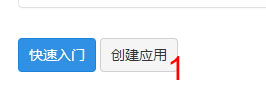
- Then click
1to create an app:
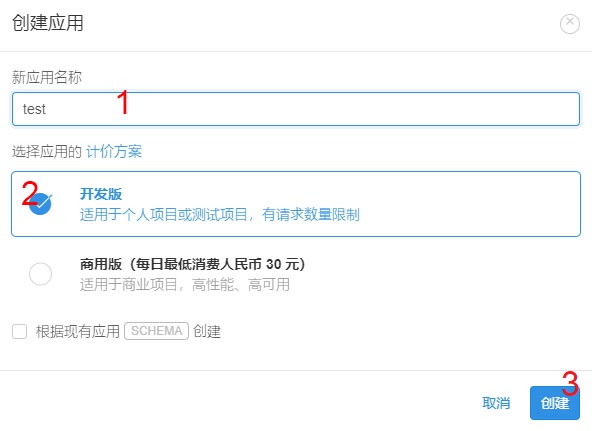
- Type your app name in
1in the pop up window(eg. "test"), then choose2, which means developer's plan, and then click3to create the app:
Create Counter class and enable plugin in NexT
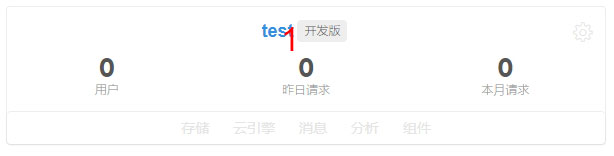
- Click
1(app name) to enter the app manage page:
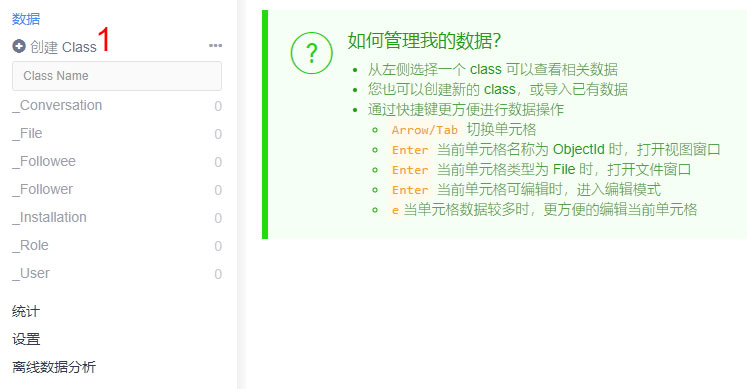
- then click
1to create a class for counter:
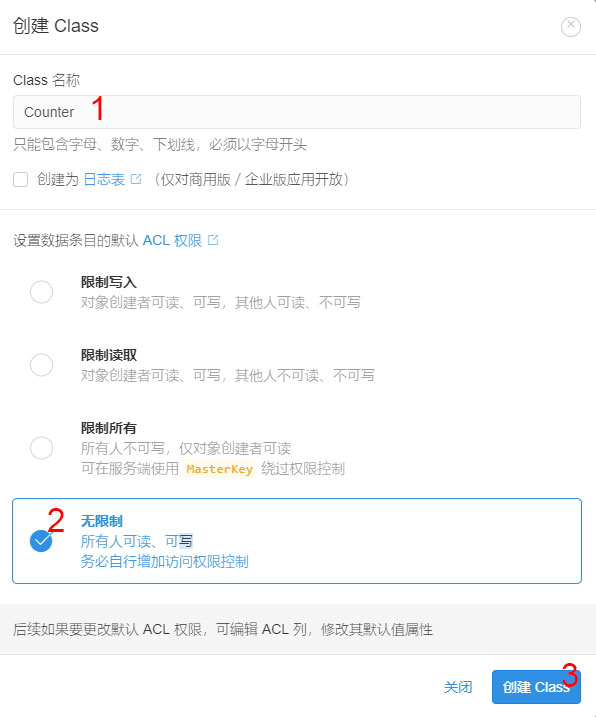
- Type
Counterin the pop up window in1, check2, then click3:
- Click
1to enter the app setting, then click2:
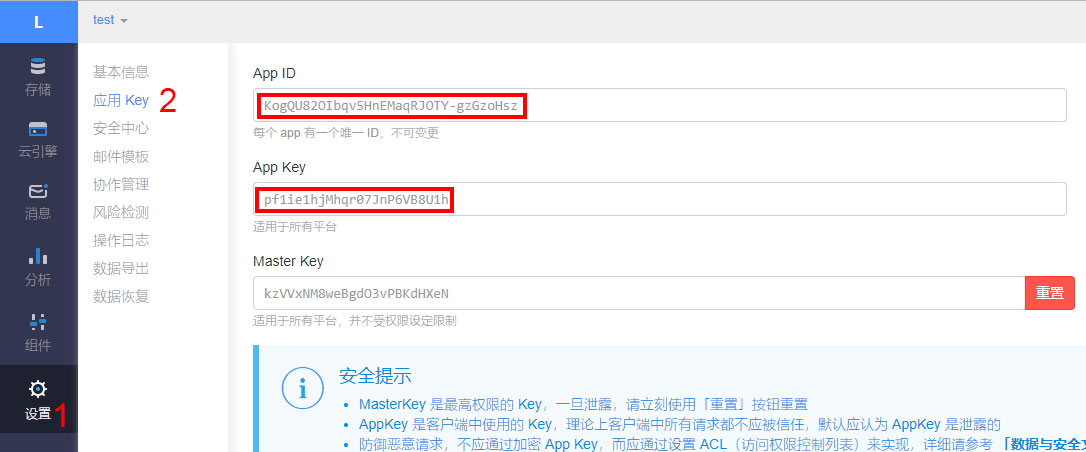
Paste
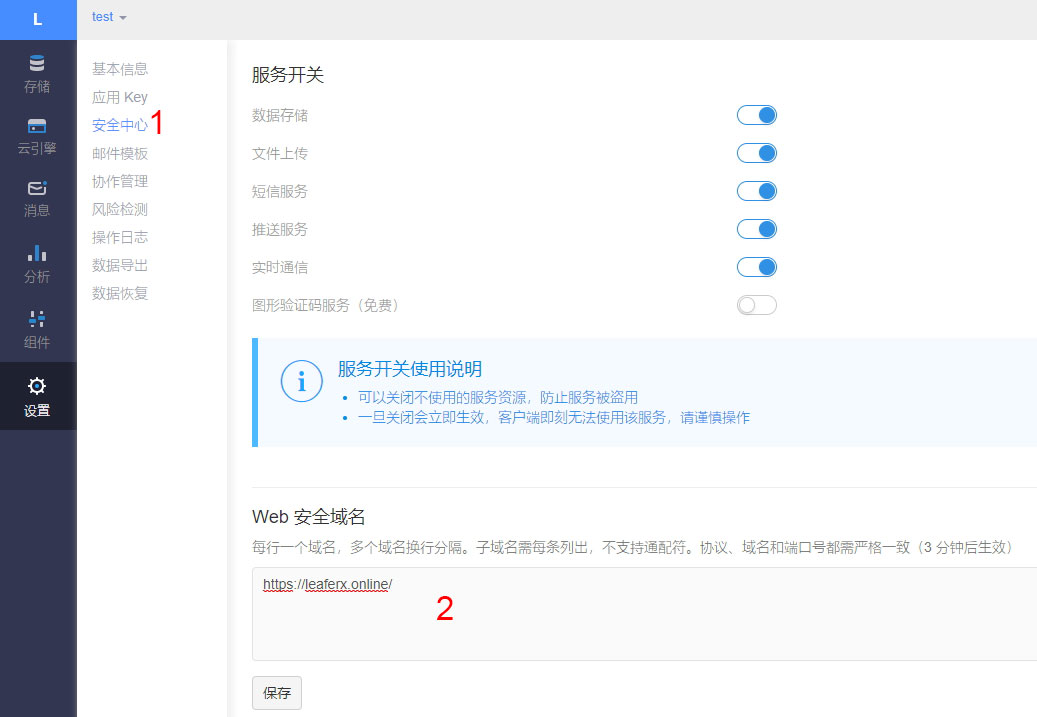
App IDandApp Keyto theme config file_config.ymllike this:leancloud_visitors: enable: true app_id: # <your app id> app_key: # <your app key> # Required for apps from CN region server_url: # <your server url> # Dependencies: https://github.com/theme-next/hexo-leancloud-counter-security security: true- Set domain whitelist: Click
1, then type your domain into2(protocol, domain and port should be exactly the same):
Deploy web engine to avoid your data being changed illegally
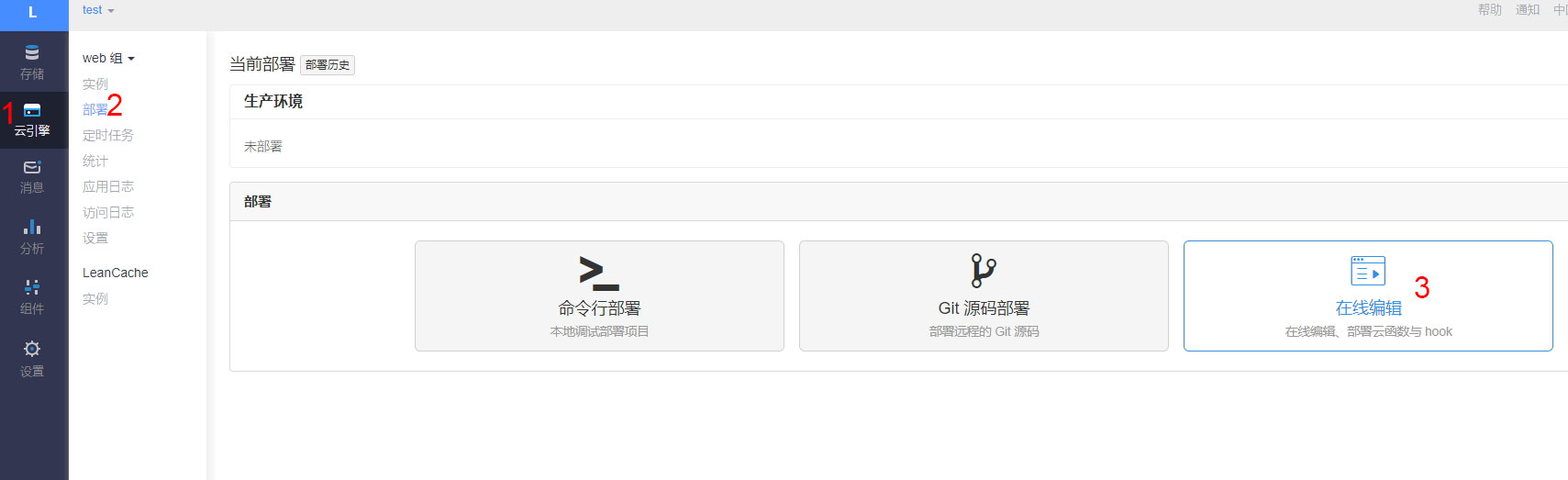
- Click
1 -> 2 -> 3by order
- Click
1:
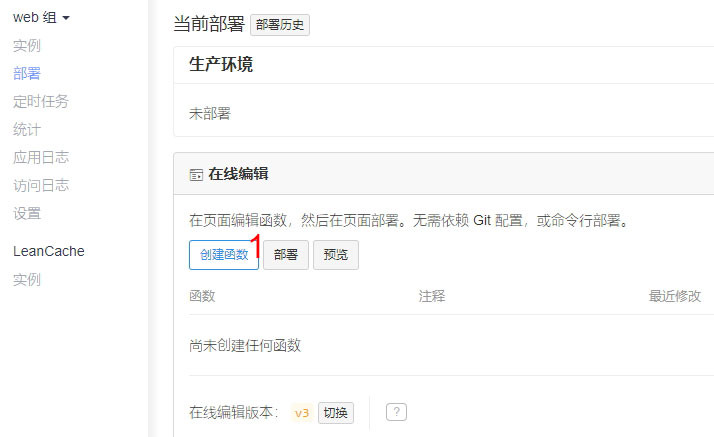
- In the pop up window, click
1to choose typeHook, then choosebeforeUpdatein2, chooseCounterin3. Paste code below into4, then click5to save it:javascript var query = new AV.Query("Counter"); if (request.object.updatedKeys.includes('time')) { return query.get(request.object.id).then(function (obj) { if (obj.get("time") > request.object.get("time")) { throw new AV.Cloud.Error('Invalid update!'); } return request.object.save(); }); }
- Set domain whitelist: Click
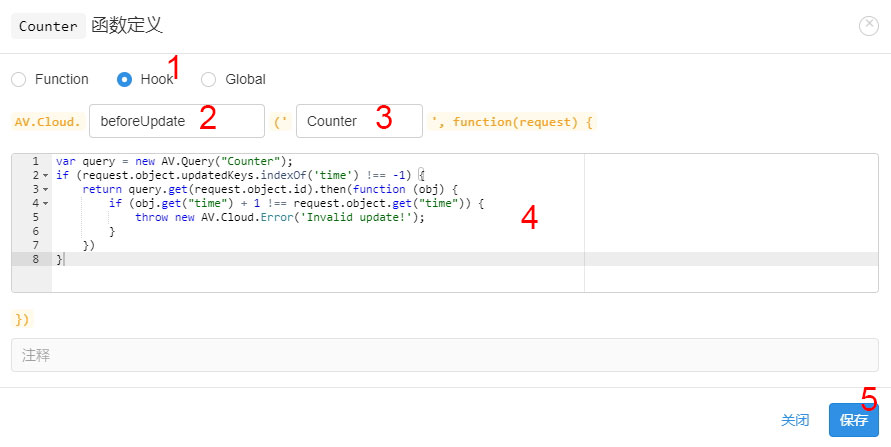
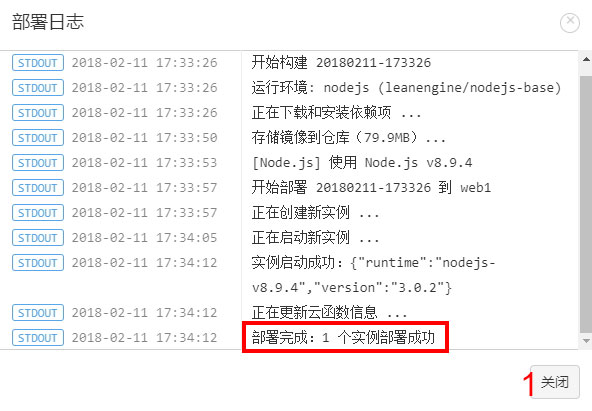
- Click
1to deploy after the message in the red rect shows up:
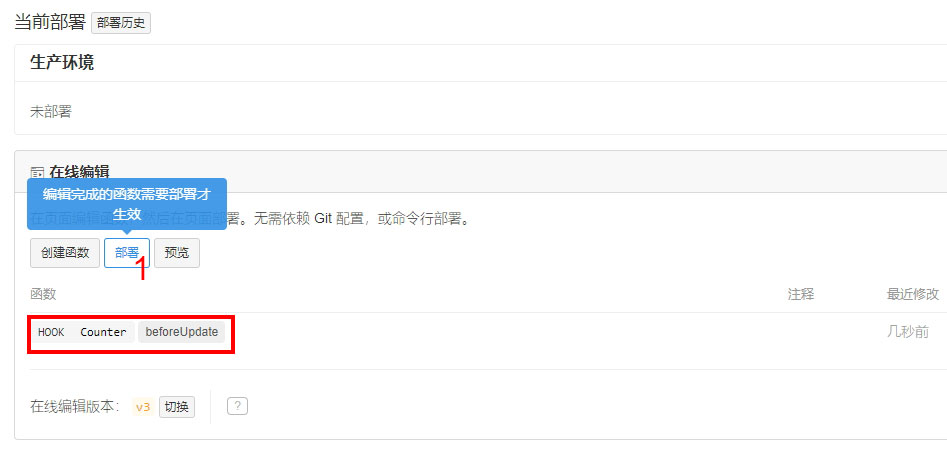
- Click
1in the pop up:
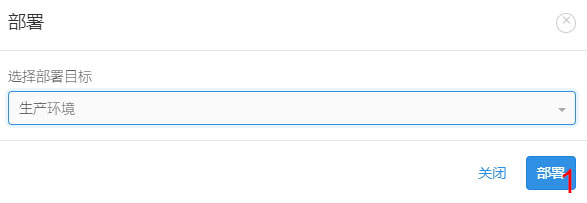
- Click
1to close the pop up window after the message in the red rect shows up:
Set access control for your database
Open theme config file
_config.yml, setleancloud_visitors: securitytotrue:leancloud_visitors: enable: true app_id: # <your app id> app_key: # <your app key> # Required for apps from CN region server_url: # <your server url> # Dependencies: https://github.com/theme-next/hexo-leancloud-counter-security security: true- Open cmd then switch to root path of site, type commands to install
hexo-leancloud-counter-securityplugin: ```
- Open cmd then switch to root path of site, type commands to install
npm install hexo-leancloud-counter-security
- Open **site config file** `_config.yml`, add those config:
  ```yml
  leancloud_counter_security:
    enable_sync: true
    app_id: <your app id>
    app_key: <your app key>
    username:
    password:
Type command:
hexo lc-counter register <username> <password>or
hexo lc-counter r <username> <password>
Change <username> and <password> to your own username and password (no need to be the same as leancloud account). They will be used in the hexo deploying.
Open site config file
_config.yml, change<username>and<password>to those you set above:leancloud_counter_security: enable_sync: true app_id: <your app id> app_key: <your app key> username: <your username> # will be asked while deploying if be left blank password: <your password> # recommend to leave it blank for security, will be asked while deploying if be left blank- Add the deployer in the
deployof site config file_config.yml: ```yml deploy: - type: git repo: // your repo ...
- type: leancloud_counter_security_sync ```
- Add the deployer in the
Return to the LeanCloud console. Click
1 -> 2, check if there is a record added in the_User(the img below is using username "admin" for example):

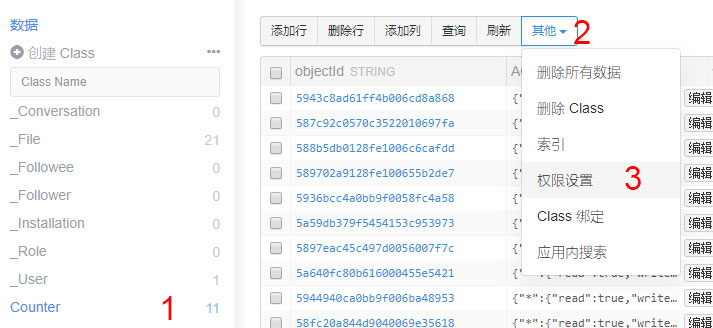
- Click
1 -> 2 -> 3by order:
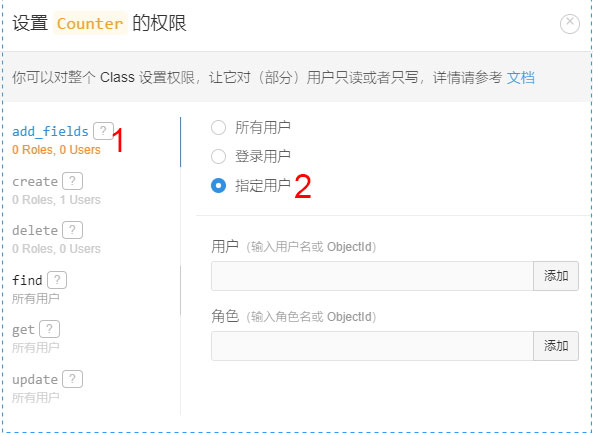
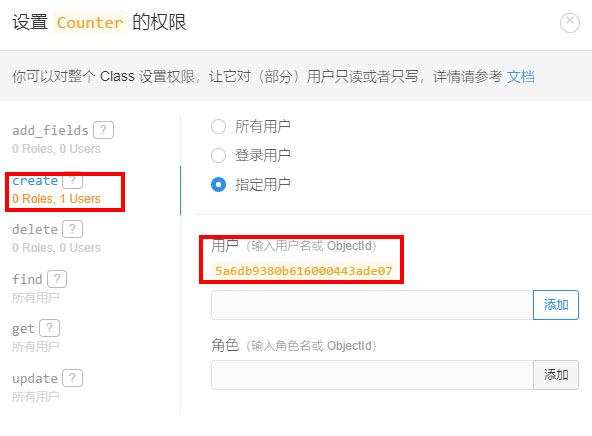
ClickDo as below "create" setting(choose the user you create):1(add_fields), then choose2:
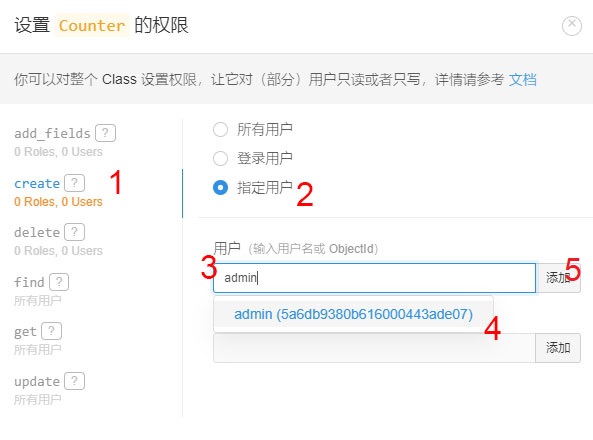
- click
1(create), then choose2, type the username in3, then click4 -> 5:
Now your page should be similar to this img after finishing the step.
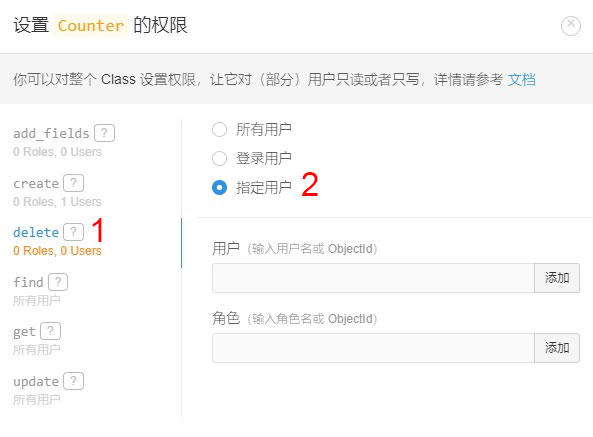
- Click
1(delete), then choose2:
Now the bug is fixed.
See detailed version here: https://leaferx.online/2018/03/16/lc-security-en/